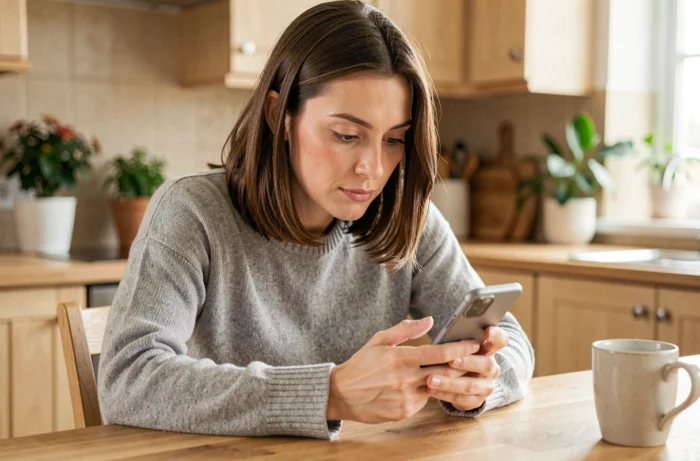
You open your phone, type in the address monproxima.fr, and the page asks you for an identifier that you never chose. This scenario often occurs for people under protective measures or their relatives. Mon Proxima is not a traditional application: it is a web portal linked to the guardianship management software Proxima, and its mobile functionality deserves some concrete explanations.
Mon Proxima on mobile: a web portal, not a native app
The first thing to know before attempting to connect: Mon Proxima cannot be downloaded from the App Store or Google Play. It is a website optimized for smartphone screens, accessible via the browser (Safari, Chrome, Firefox).
The phrases “download Mon Proxima” found online actually refer to creating a shortcut on the phone’s home screen. This shortcut opens the browser directly to the login page, giving the impression of using an app. On iPhone, simply open Safari, go to monproxima.fr, then tap the share icon and “Add to Home Screen.” On Android, the process is similar via the Chrome menu.
This detail changes everything for what follows: since there is no installation, there are also no updates to manage or permissions to grant. However, this also means that the connection always goes through an up-to-date browser, which can be problematic on older phones whose browsers are no longer updated.
If you are looking to log in to my Mon Proxima account from a mobile device, keep in mind that everything relies on this web interface and not on a downloadable app.
Mon Proxima login credentials: who provides them and how to obtain them
You cannot create a Mon Proxima account by yourself. This is the point that most often causes issues.
Only the judicial representative or the guardianship service can open access to the portal. The protected adult, a family member, or a caregiver must send a formal request (by mail or email) to the representative to obtain their consultation credentials.
Once the request is accepted, the representative sends a username and a temporary password. This password must be changed upon first login. Here are the concrete steps on mobile:
- Open the phone’s browser and type monproxima.fr in the address bar.
- Enter the username and temporary password provided by the representative, then validate.
- The portal immediately asks you to choose a new personal password. Preferably use a combination of at least eight characters with letters and numbers.
- Save the password in the phone’s password manager (iCloud Keychain on iPhone, Google Password Manager on Android) to avoid losing it.
If you have not received any credentials, there is no need to look for a “Create an account” button on the site: it does not exist. No self-service account creation is allowed.
Consulting accounts and documents on mobile: what you can (and cannot) do
Once logged in, the Mon Proxima portal provides access to several types of information related to guardianship management. On the phone screen, the interface displays data transmitted by the representative from the Proxima software.
You can view bank balances, account movements, expense receipts, and documents submitted to the file. These elements are updated by the representative, not in real-time by the bank.
No transfers or changes to settings are possible from Mon Proxima. The portal offers read-only access. This limitation is intentional: it protects the adult and ensures that only the representative performs banking operations within the framework of the protective measure.
Common display issues on mobile
On a small screen, some PDF documents or statements may not display correctly. The phone’s browser tries to open the file directly, which can result in a truncated display. In this case, download the document by tapping the download icon, then open it with the phone’s PDF reader.
If the login page does not load at all, check that the browser is up to date. Versions of Safari prior to iOS 15 or very old versions of Chrome may block the display of the portal.
Lost password or blocked access on Mon Proxima: what to do
You have forgotten your password or the portal refuses your connection after several attempts? The procedure depends entirely on the representative.
Mon Proxima does not offer a standard “Forgot password” system with a link sent by email. To reset access, you must contact the judicial representative or the guardianship service directly. They generate a new temporary password from the Proxima software.
Keep your representative’s contact information handy. In case of a change of representative (transfer, end of mandate), your old credentials may be deactivated without notice. The new representative will then need to recreate access.
- Forgotten password: contact your representative by mail or email to request a reset.
- Account blocked after several entry errors: the representative can unlock access from their Proxima interface.
- Change of representative: ask the new representative to create a new access for you as soon as they take office.
Accessing the Mon Proxima portal on mobile remains a straightforward process as long as you are aware of these specifics. The starting point is always the representative: they are the ones who open, maintain, and can close access to the portal. By keeping your browser up to date and your credentials saved, regularly consulting accounts and documents from your phone becomes a quick habit to adopt.