
The academic webmail Dijon is the professional messaging service provided to the staff of the Dijon academy (teachers, administrative staff, management personnel). It relies on a single sign-on via the academic intranet portal (PIA) and allows users to read, send, and organize their emails from a web browser, without the need for software installation.
IMAP Protocol and PIA Session: What the Academic Webmail Dijon Uses in the Background
The academic messaging system operates with the IMAP protocol for receiving messages. This protocol keeps emails on the academic servers rather than downloading them locally. A message that is read, deleted, or moved from one device reflects this change instantly on all others.
Further reading : How to Access eCandidat Valenciennes to Easily Submit Your Application Online
For sending, the SMTP protocol takes over. The combination of IMAP/SMTP ensures a full synchronization between the webmail and an email client configured on a computer, tablet, or smartphone.
The PIA portal adds an extra layer: single sign-on. By logging in once to the portal, the user gains access to the messaging system, the staff directory, ARENA, I-Prof, and other digital services without having to re-enter their credentials. Using the PIA instead of an isolated webmail URL helps keep the session active and limits issues with expired cookies.
Related reading : How to Easily Access Your Neuf Mail Online Inbox
To access the academic webmail Dijon, the most reliable path remains the “Direct Access” block on the homepage of the ac-dijon.fr site, rather than a memorized URL that may become outdated after a portal update.

Format of the Academic Identifier and Initial Password
The login identifier follows a standardized format: the first letter of the first name followed by the last name, in lowercase, with no spaces or dots. For a teacher named Claire Dupont, the identifier would be cdupont. This format applies to all staff of the academy.
Cases of homonymy exist. When two agents share the same first and last name, the academy adds a numerical suffix or an additional letter to differentiate the accounts. In case of doubt, the IT service of the DSDEN or the institution can confirm the exact identifier.
Initialization with the NUMEN
Upon first login, the password is usually the NUMEN (National Education identification number). This code appears on the administrative documents provided when starting the position. Some staff use an INA code according to their body of affiliation.
After this initial authentication, the system requires a password change. The new password must meet complexity criteria (minimum length, mix of characters). Keeping it in a dedicated password manager avoids the reset procedure.
Password Reset and Access Recovery
A forgotten or never initialized password can be handled from the homepage of ac-dijon.fr, via the “Direct Access” block. The recovery procedure relies on two possible elements: the NUMEN or the academic email address already registered in the system.
- The NUMEN allows proving one’s identity without accessing the email inbox, which covers the case of an account that has never been activated.
- The academic address serves as a reception channel for a reset link, useful if the account has already been used.
- The DSDEN support remains the recourse for atypical situations (name change, recent transfer, error in the directory).
The blank page at the time of login, reported by several users, most often comes from a browser incompatible with the single sign-on system or corrupted session cookies. Clearing the browser cache and cookies resolves most of these blocks.
Configuring the Academic Messaging Dijon on Smartphone
Accessing academic emails on mobile involves adding an IMAP account in the native email application (Mail on iOS, Gmail or others on Android). The settings are the same regardless of the device.
- Incoming server (IMAP): the address of the academic server, the port, and SSL/TLS encryption are provided by the academy’s documentation.
- Outgoing server (SMTP): same logic, with mandatory authentication before sending.
- Identifier: the same as for the webmail (format first letter of first name + last name).
- Password: the one defined after the account initialization.
On mobile, security deserves special attention. Avoid saving the session on a shared device and prefer biometric locking or a PIN code to protect access to professional emails in case of phone loss.
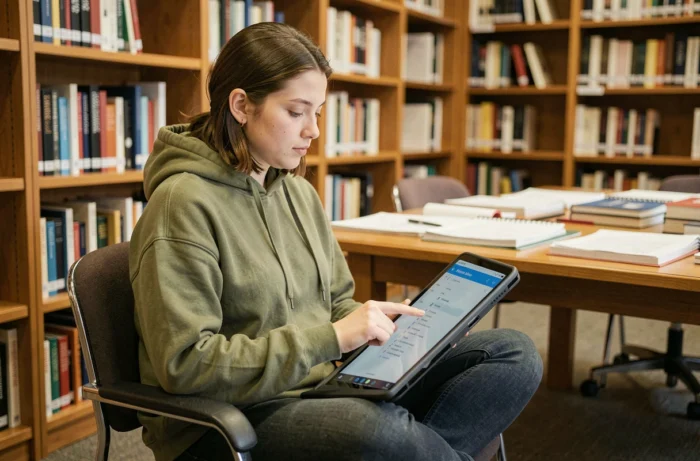
Difference Between Webmail and IMAP Client
The webmail (Convergence or Roundcube depending on the academy’s configuration) is used directly in the browser. It requires no installation and works on any device connected to the Internet. The IMAP client, on the other hand, synchronizes messages in a dedicated application, allowing offline access once the emails are downloaded.
Both methods coexist without conflict. An email processed via webmail will appear in the same state on the mobile client, and vice versa. The choice depends on the usage context: webmail is suitable for occasional access from a shared computer, while the IMAP client is for daily monitoring on one’s own device.
Security of Exchanges and Management of Session Cookies
The Dijon academy is committed to enhanced security for professional exchanges. The single sign-on via the PIA limits the need for multiple password entries, which reduces the risk of interception on unsecured networks.
Managing session cookies remains an underestimated technical point. An expired cookie or one blocked by overly restrictive browser settings prevents maintaining the connection and causes unexpected disconnections. Configuring the browser to accept cookies from the ac-dijon.fr domain resolves this issue without compromising privacy on other sites.
For staff using an OTP token (one-time password), activation is done from the account security settings. This device adds a layer of verification at each login, particularly recommended for access from public networks.
The academic email address in the format [email protected] remains the official channel for exchanges with hierarchy, inspectors, and administrative services. Redirecting to a personal inbox is technically possible, but it exposes professional messages to a less controlled environment. Keeping the academic messaging as the central reception point remains the safest practice.