
A homeowner is looking to compare models of passive houses, while another wants to find a technical sheet on external insulation that was consulted the previous week. In both cases, the frustration comes from the same place: a site structure that is too deep or poorly organized, where each click feels like a gamble.
Navigating effectively on a site dedicated to housing requires a tool that is often underestimated: the sitemap, which displays all accessible pages in a single view.
When a website’s signage breaks down
We all know the situation: a main menu displays five or six categories, but the subpages number in the dozens. Dropdown menus show only a fraction of the actual content. Internal search filters return approximate results, sometimes off-topic.
The problem worsens on construction and housing sites, as the content mixes product sheets, regulatory guides, galleries of achievements, and regional contact forms. Without a global view, one ends up going in circles.
This is precisely where the Habitations sitemap comes into play, listing all available pages along with their hierarchy. One can quickly identify if the desired section exists, where it is located, and access it directly without going through three levels of navigation.
A sitemap replaces navigation by trial and error with direct access. It is a structural shortcut, not a technical gadget reserved for indexing robots.

HTML sitemap or XML sitemap: two tools, two uses
The confusion between these two formats often arises. The XML sitemap is a file intended for search engines. It tells Google or Bing which URLs to explore and how often. A human visitor has no use for it.
The HTML sitemap, on the other hand, is a web page that can be accessed by anyone. It organizes the site’s internal links in a structured list, usually sorted by categories.
What each format concretely brings
- XML Sitemap: a technical file read by crawlers, useful for indexing new pages and detecting outdated content. Invisible to the visitor.
- HTML Sitemap: a page accessible from the footer or menu, allowing a user to scan the entire structure at a glance and click through to the desired page.
- Complementarity: both coexist without replacing each other. XML feeds SEO, HTML enhances the actual browsing experience.
On a housing site, where sections cover both types of houses and administrative procedures or interior finishes, the HTML sitemap becomes an alternative entry point to the classic menu.
Navigation on a housing site: recurring obstacles
Builder or real estate platform sites share fairly predictable navigation flaws. They are quickly identified when one is looking for specific information rather than browsing the catalog out of curiosity.
Too deep a structure
Some sheets are found at the fourth or fifth level of the structure. A contemporary house model may be categorized under Achievements > Houses > Contemporary > Region, sometimes with an additional sub-category by price range. Each additional level of depth reduces the likelihood that the visitor will reach the page.
Absence of cross-links
A sheet on thermal insulation does not link to house models that incorporate this solution. The visitor must return to the main menu, search for the right section, and then hope the filter works. The sitemap bypasses this problem by displaying all possible destinations on a single page.
Limited internal search
The search engines integrated into housing sites often remain basic. A query like “single-story wooden house” can return mixed results: blog articles, contact pages, photo galleries. The sitemap, however, only returns pages structured by theme.
Accessibility and internal navigation: what recent standards change
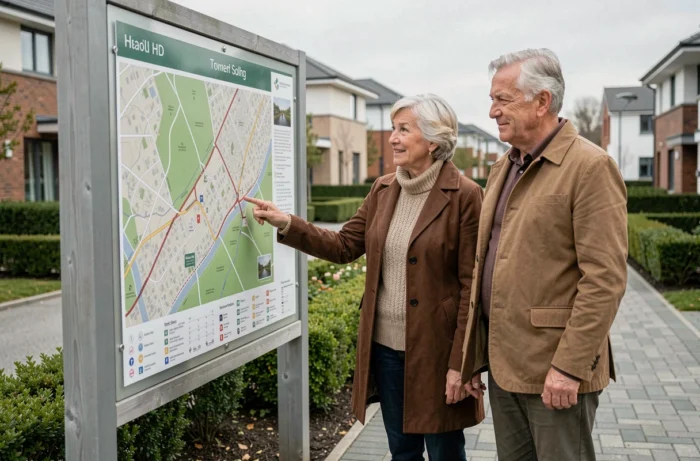
The angle may be surprising, but the logic that makes a website sitemap useful aligns with that of physical signage in a building. Recent regulatory frameworks regarding accessibility have strengthened the requirement for unbroken pathways and truly navigable routes for people with disabilities.
This evolution also affects the digital realm. A housing site that offers a properly marked HTML sitemap (hierarchical titles, explicit links, structure readable by screen readers) adheres to the same logic: providing an alternative route when the main navigation is insufficient.
Digital internal navigation solutions, now evaluated with tests conducted with disabled users, follow an increasingly shared principle: digital complements physical signage, it does not replace it. An HTML sitemap functions in the same way in relation to the main menu.
Making the most of a sitemap for housing
Having a sitemap is not enough if no one can find it. A few practices can increase its real usefulness.
- Place the link to the sitemap in the footer and in the secondary menu, not just in the legal mentions where no one will look for it.
- Organize the links by user intent (searching for a model, understanding a process, requesting a quote) rather than by the technical structure of the CMS.
- Update the sitemap with each addition or deletion of a page to avoid dead links that undermine visitor trust.
- Use descriptive link titles: “Wood frame house – catalog” instead of “Page 47”.
A well-maintained sitemap reduces the bounce rate on deep pages, as it provides a direct entry point to content that the main menu does not highlight.
Feedback on this point varies depending on the size of the site, but on housing platforms that have several hundred pages, the effect is tangible: visitors who go through the sitemap consult more pages per session than those who navigate solely through the menu.
The sitemap remains a straightforward navigation tool, without spectacular technology. Its strength lies in its simplicity: one page, all links, zero ambiguity. For a housing site where content multiplies with ongoing projects and regulatory updates, it is often the most reliable shortcut.